
From the camera into the system — while you're still shooting
LiveUpload transfers every shot into VAULO the moment it's taken — straight from the camera, no detour through a laptop or memory card. At the European Championships Munich, pictures from the 100-metre final were in the system while the race was still running.
- Core feature — included in every plan
- Works with any FTP-capable camera
- No detour through a computer
Pair once, live forever
LiveUpload uses the FTP standard built into every professional photo and video camera — no extra app, no special hardware required.
- 01
Pair the camera once
FTP address, username and password are in your profile settings — enter them into the camera once, and the connection is set up for good.
- 02
Start a session
In VAULO you pick the space and target folder and start LiveUpload. From then on, every shot lands there automatically.
- 03
Change the destination without touching the camera
New assignment, new folder? Stop the session, switch the destination, start again — all in VAULO. The settings in your camera stay the same forever.
Millions of pictures, zero wait
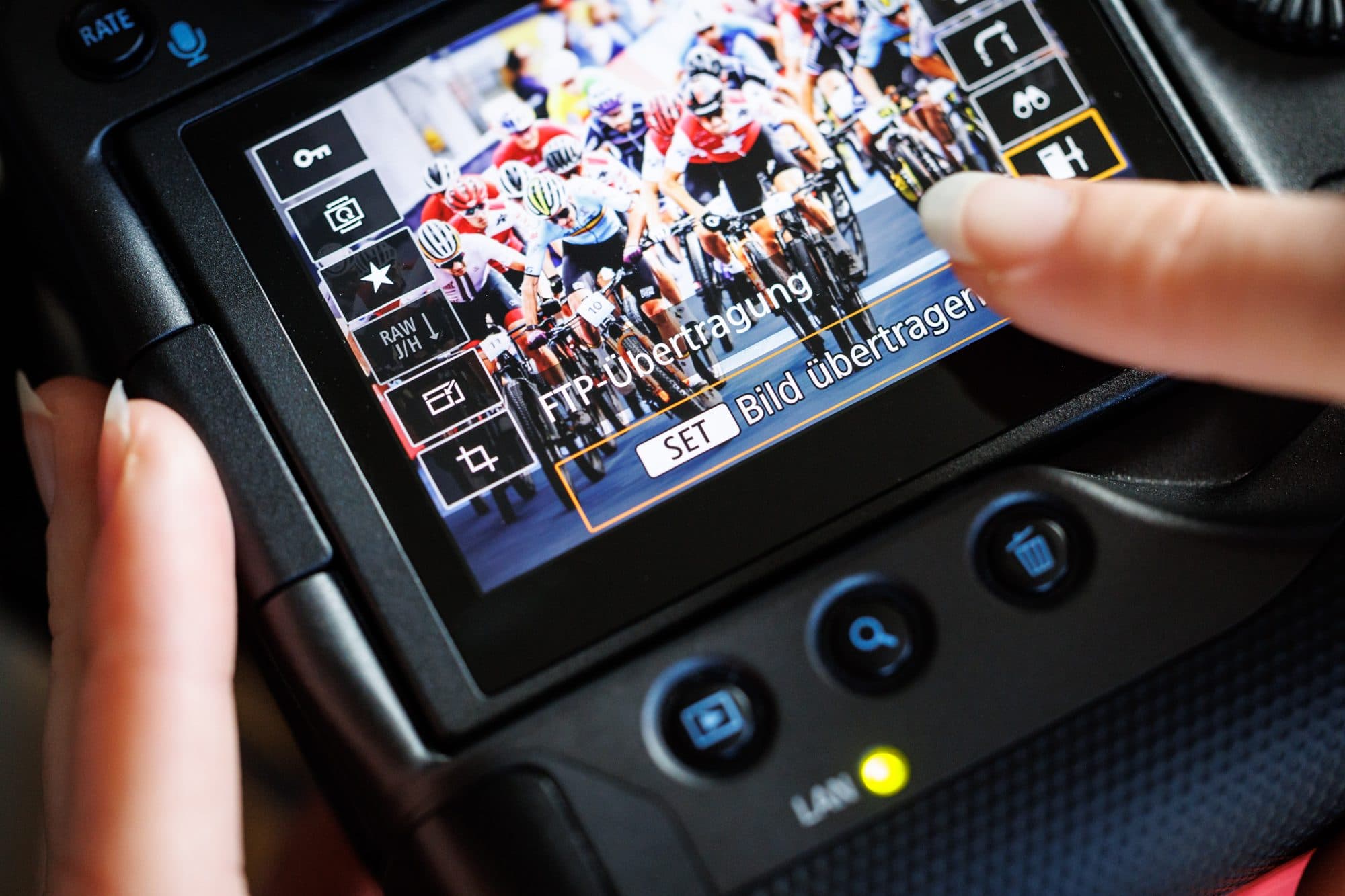
At an event this size, speed between capture and availability is what decides. With LiveUpload, pictures were in the system seconds after the shutter — automatically tagged by VisionAI and delivered to the federation and broadcasters instantly through DirectDownload.
With VAULO we could make our content available to every stakeholder — fast, painless and simple.
- Seconds
- From shutter to system
- none
- Detour through laptop or card
- once
- Camera configuration
Arriving is only the start
LiveUpload delivers — the system takes it from there: automatic tagging on arrival, shares while the assignment is still running, and event planning for the whole team.
- VisionAI FotoModulTags every incoming shot automatically — athlete, discipline and moment are instantly searchable.
- DirectDownloadMakes the pictures available while the assignment is still running — password-protected and time-limited.
- EventsModulPlans the assignment behind it — roles, locations and schedules for the whole photo team.
- FTP-UploadThe same route for everything that doesn't come from the camera — deliver folders and stock via FTP.
Frequently asked questions
Which cameras does LiveUpload work with?
Any photo or video camera that supports FTP upload — standard on professional cameras. No extra app, no special hardware required.
Is LiveUpload a paid add-on?
No. LiveUpload is a core feature, included in every VAULO plan.
Do I need to reconfigure the camera when the destination changes?
No — that's the point. You change the space and target folder in VAULO: stop the session, pick a new destination, start again. The FTP settings in the camera stay the same forever.
What happens to the pictures once they arrive?
They land in the chosen folder instantly and are searchable right away. With VisionAI, they're tagged automatically on arrival, and password-protected, time-limited shares get them to press and partners while the assignment is still running.
See LiveUpload in action
In a demo we set up a LiveUpload route and you see how fast a shot goes from shutter to system.