
Make files available within seconds
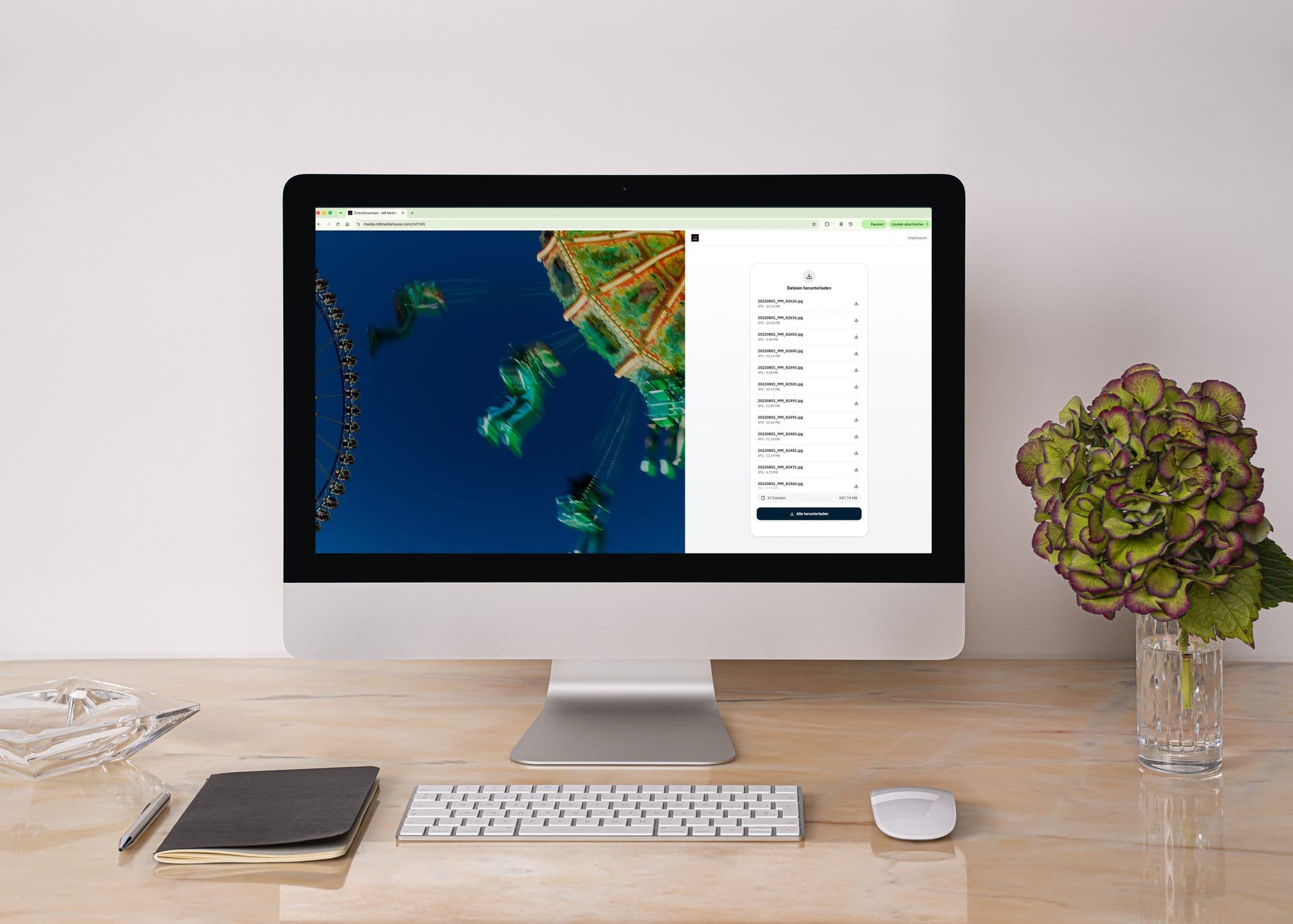
With DirectDownload the recipient needs no VAULO login: one link is enough, created in VAULO within seconds and sent by email, or copied and shared any other way, WhatsApp included. A password, an expiry and a personal message turn every link into an individual handover.
- Who it is for
- The one-off case: pictures to a colleague, photos to the customer, the cut to the press
- Available as
- Core feature, included in every plan
- Branding
- Your own URL, favicon and background images as an extension
Your files, your system, your brand
Without WeTransfer and the like
Your colleague is waiting for the print-ready pictures, the customer for the new product photos, the press for the finished video cut for the evening edition. Instead of falling back on external file-sharing services like WeTransfer or Dropbox Transfer, the transfer stays entirely in your own GDPR-compliant system.
Your brand, not ours
Upload several background images and they rotate automatically. The URL carries your name, media.yourcompany.com for example, and the favicon shows your logo instead of ours. Nothing of VAULO is left to see.
Trust on both sides
The recipient recognises the sender at a glance and never has to wonder whether the link hides a phishing attempt.
Pick a file, send the link, done
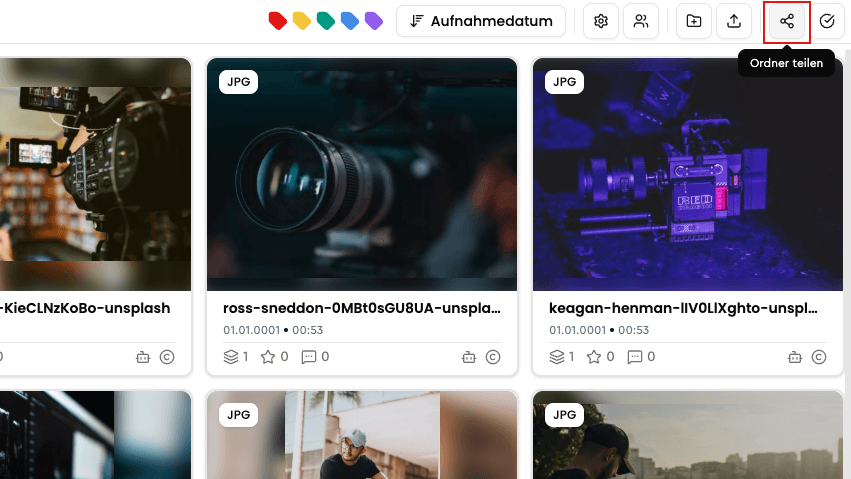
A single photo or a whole folder: you share the file the way you always do, and simply pick the DirectDownload option.
 01
01Open the share dialog
Right-click the file or folder you want to share.
 02
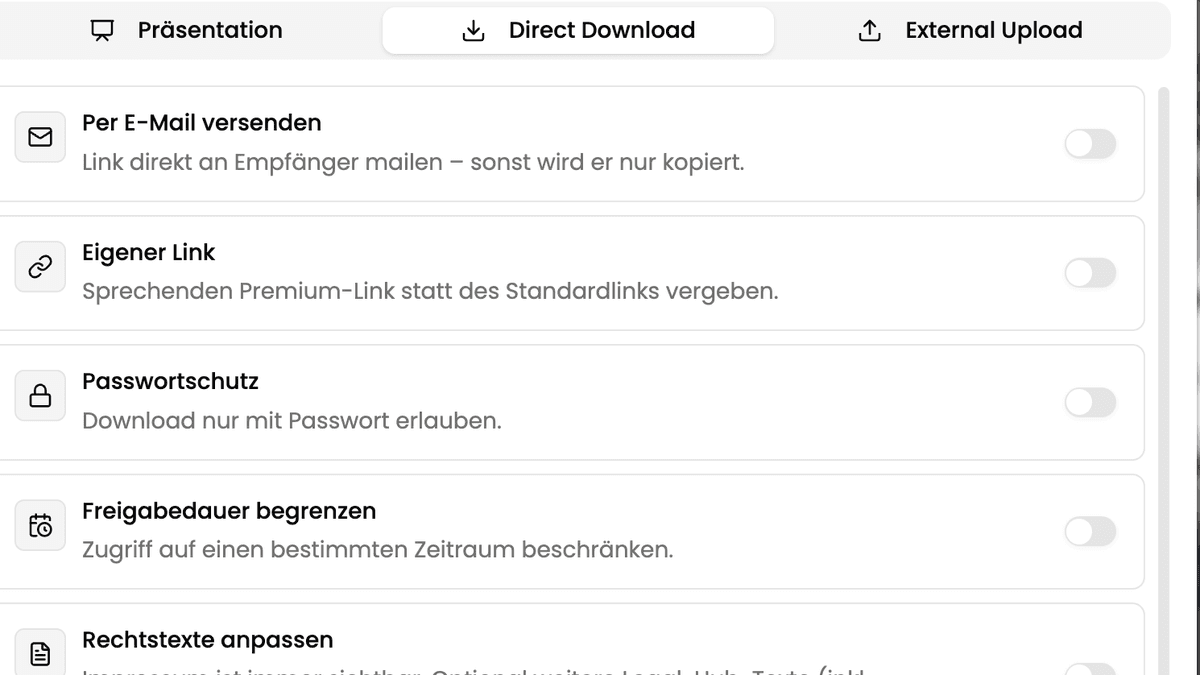
02Secure the access
Password, expiry and a personal message are optional, but set in seconds.
 03
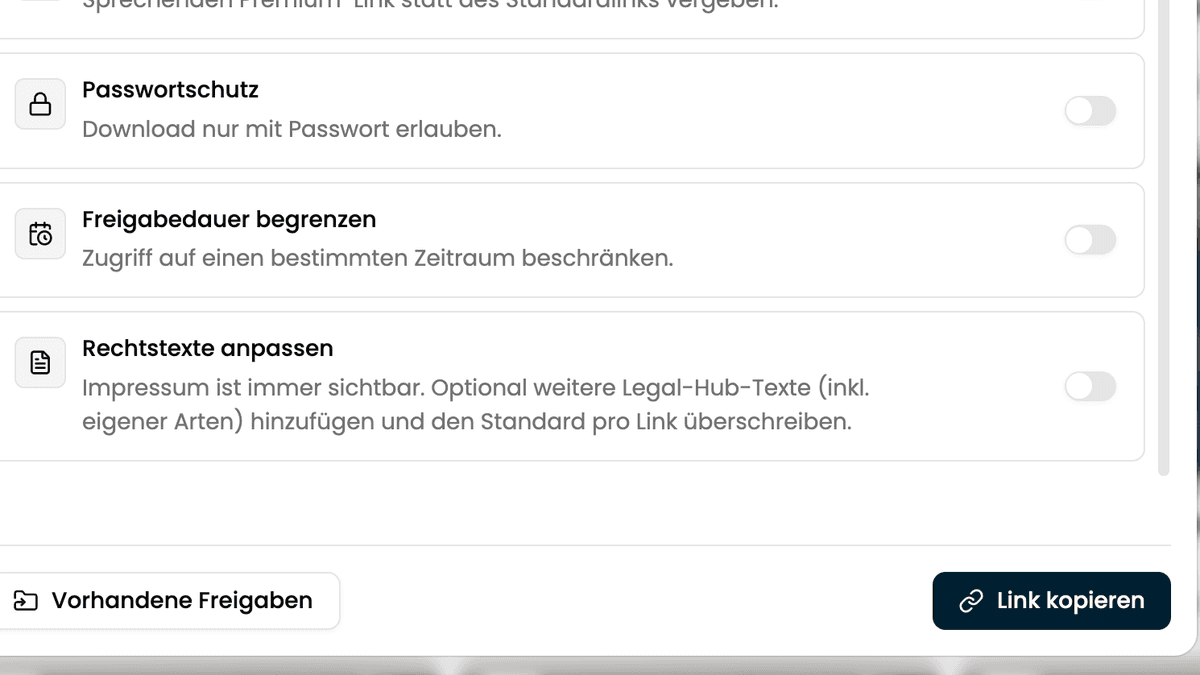
03Send or copy the link
Send the link straight from VAULO, or copy it and pass it on any other way, WhatsApp included.
Your own branding — URL, favicon and background images — is set once in the organisation settings. From then on every DirectDownload carries your signature without you thinking about it per link. Download tracking is set up once as well: after that, every access is logged automatically.
From the system straight into the inboxes of media and stakeholders
At an event of this size it is not only how fast the pictures get into the system that counts, but how fast they reach the right people from there. Through DirectDownload the pictures were available to media representatives and stakeholders while the competition was still on — without any of them needing a VAULO login.
- Instant
- From the system straight into the inbox
- None
- Account needed for media or stakeholders
- Password-protected
- Access exactly for the intended audience
With VAULO we could make our content available to every stakeholder — fast, painless and simple.
Frequently asked questions
Does the recipient need a VAULO account?
No. The link works without login and without registration.
Can I see who downloaded the file?
Yes. Switch on "Request downloader details" to capture the details defined in your organisation settings at download time.
How long is a link valid?
Unlimited by default. "Limit the share period" sets a fixed window.
Is custom branding — own URL and favicon — included in every plan?
No. Custom branding is a bookable extension. DirectDownload itself is a core feature in every plan.
Show more questions
What is an alternative to WeTransfer for companies?
DirectDownload from VAULO: large files are shared password-protected and time-limited, without any data sitting with an external provider.
How do I send large files securely and GDPR-compliant?
With DirectDownload the files stay on German servers while the recipient downloads them through an individually secured link — no account of their own needed.
Show us how your files go out
In a demo we set up a DirectDownload with your branding and you see how it lands with the recipient.