
FeedPage: your add‑on for a press, news or intranet portal of your own
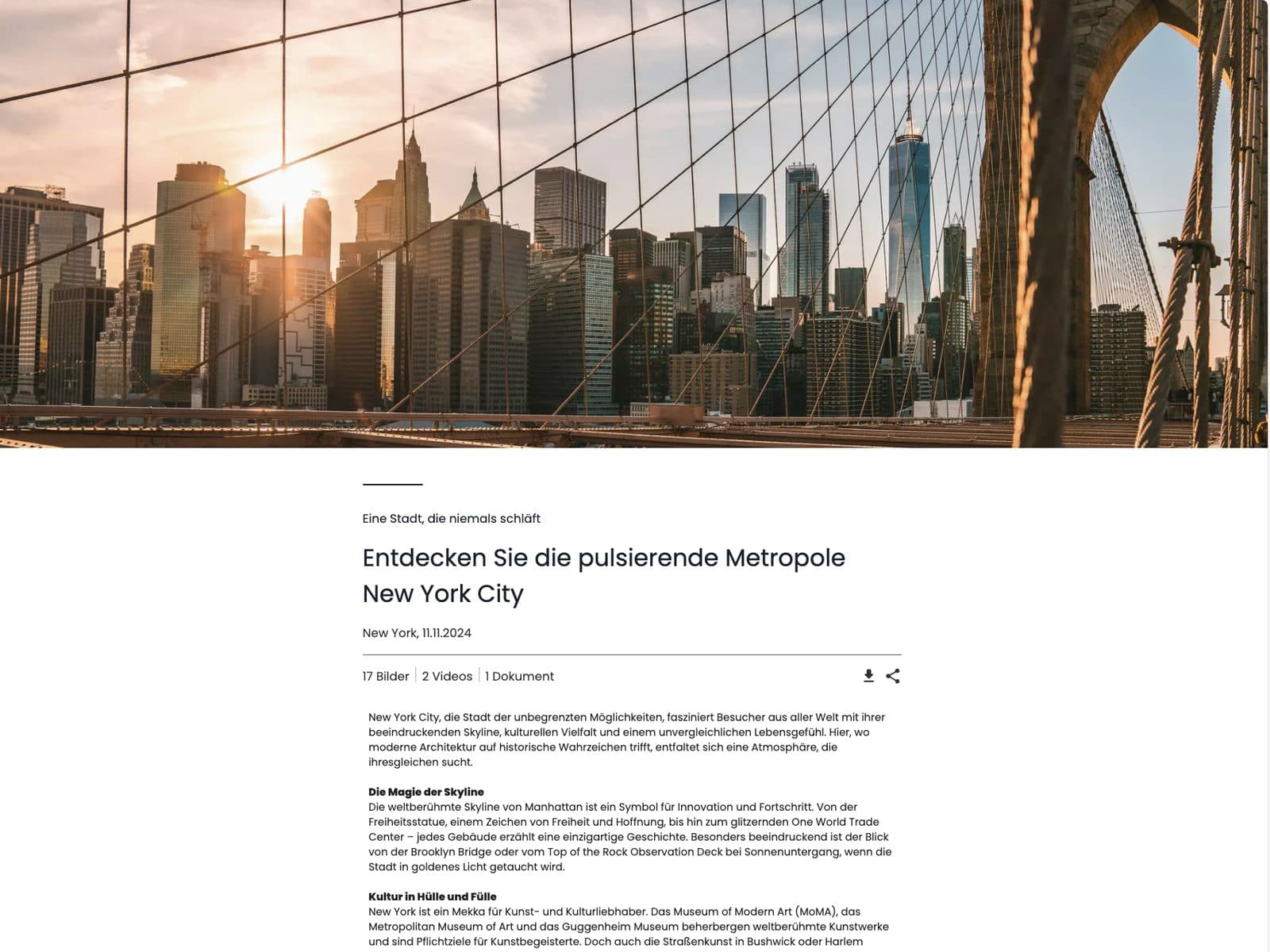
Pick a presentation you already created in the Presentation Studio and publish it with one click as an editorial post — with cover image, headline, text and the media you want.
- Who it is for
- Press offices with a steady flow of releases, communications teams with an intranet
- Available as
- Add-on, on request
- Requires
- Presentation Studio
One feed page for press, news or intranet
For press offices and intranets
A press office that publishes new releases all the time. A communications department that keeps staff up to date on the intranet. For both you build a feed page of your own with FeedPage.
Several feed pages in parallel
A public one for the press and an internal one for your own staff, say, so content always reaches the right audience.
Nothing maintained twice
You publish a presentation already created in the Presentation Studio directly on the feed page, without building it again.
Pick a presentation, publish, done
FeedPage builds on the Presentation Studio: any presentation created there can additionally be published on your feed page when needed.
 01
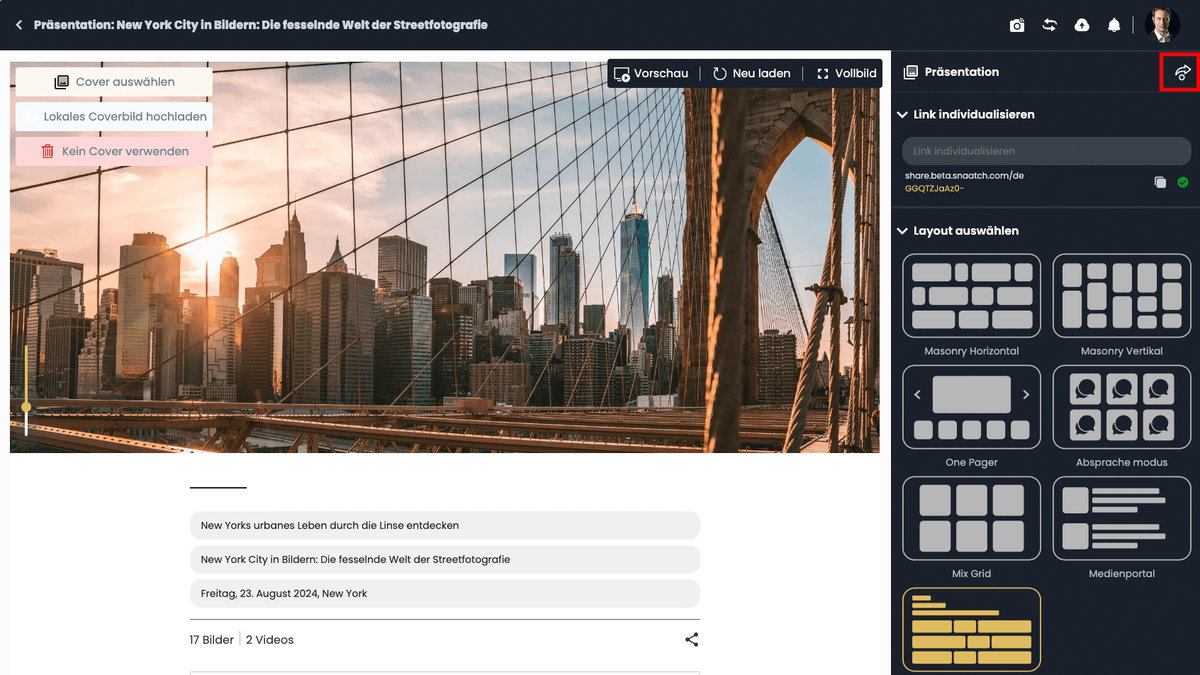
01Prepare the presentation
In the Presentation Studio, put together the content, structure and look of the presentation the way it should appear on the feed page.
 02
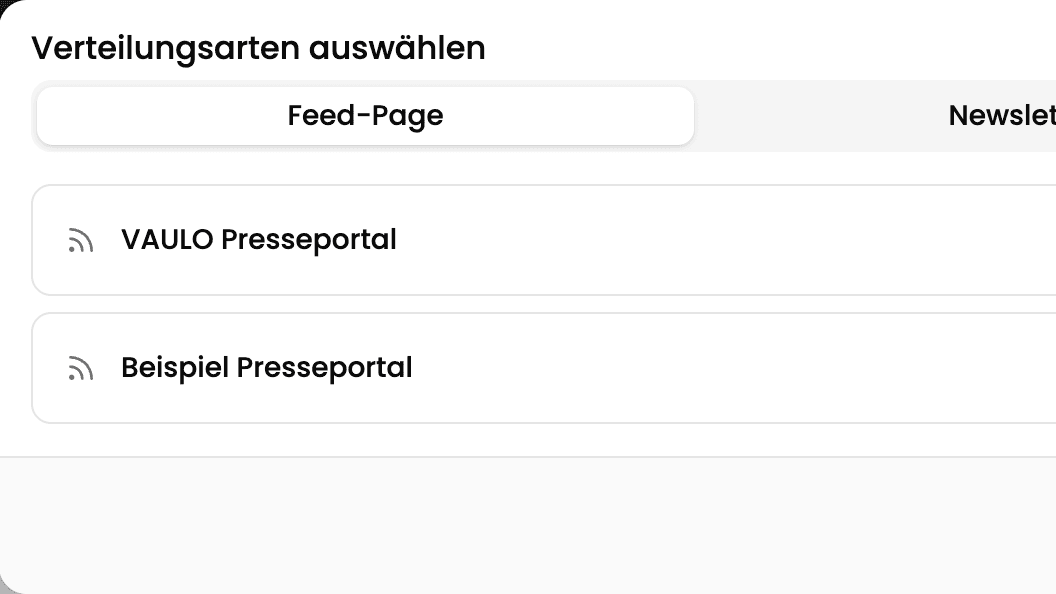
02Open the distribution
Open the distribution options via the share button and pick the Feed Page tab.
 03
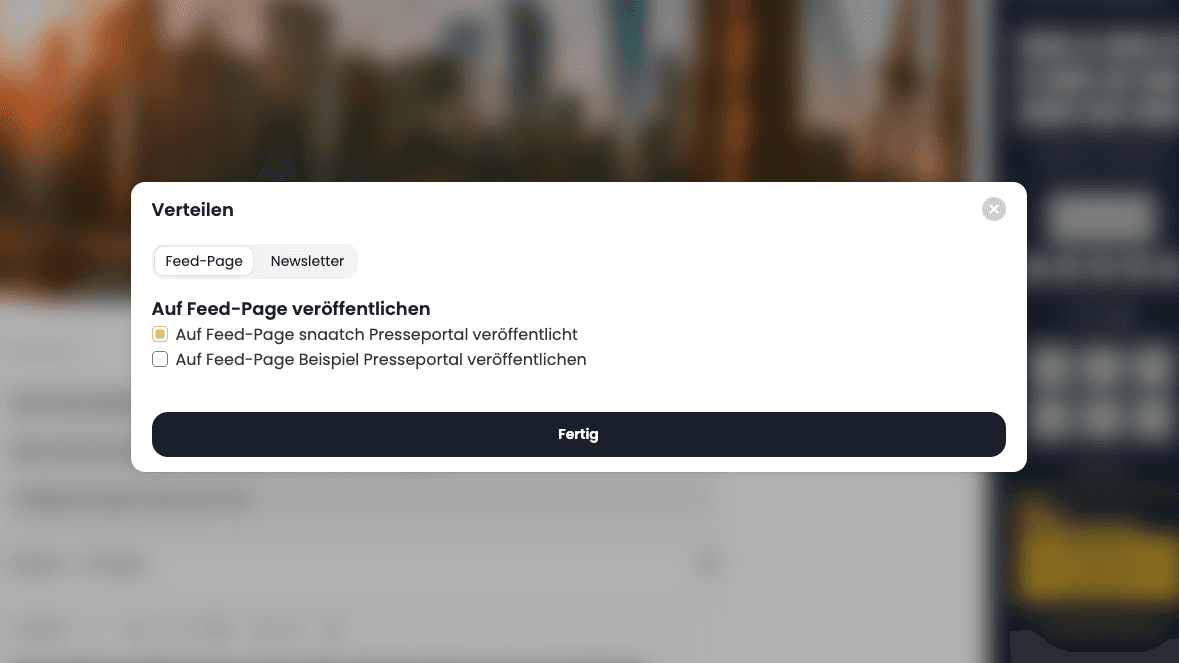
03Publish
Choose the feed page and publish. The post appears at the top of the feed right away, with cover image, headline and file overview.
Frequently asked questions
Do I need a website of my own for a press portal?
No. FeedPage provides the feed page directly — no website of your own or external tool needed.
Can I run several feed pages at once?
Yes. A public feed page for the press and an internal one for the intranet, for example, each with its own title and link.
Do I have to maintain content twice?
No. You publish a presentation already created in the Presentation Studio directly on the feed page, without building it again.
Is FeedPage included in the Presentation Studio?
No. FeedPage is a separate add-on, booked in addition to the Presentation Studio.
Show more questions
How do I create a press portal without a website of my own?
With FeedPage you publish presentations from VAULO directly as a public feed page — no website or development of your own.
Is there a simple solution for an intranet news page?
Yes. FeedPage can run as an internal feed page too and serves as a simple intranet news page for your own staff.
Start with your first feed page
In a demo we publish a presentation on a feed page and you see how a post lands with your audience.